Choosing memory for a new PC can feel like comparing numbers on nearly identical boxes. DDR5 and DDR4 may share familiar names, but their designs and platform requirements differ. This guide explains Why DDR5 is faster than DDR4, where that advantage comes from, and when it makes a practical difference. The short answer is bandwidth. DDR5 supports higher data rates and uses two independent 32-bit subchannels per module, helping move data efficiently. It also brings more bank groups and higher potential capacity. On a busy desktop, these changes can help applications that move large amounts of data or serve many tasks at once.
But faster memory is not an automatic upgrade. DDR5 kits often have higher latency than comparable DDR4 kits, and everyday performance depends on the processor, motherboard, timings, and workload. Not always. A game limited by its graphics card may show only a small change. A compatible motherboard is essential; DDR4 and DDR5 modules are not interchangeable. Check the board’s specifications before buying, then confirm the kit’s rated profile and BIOS support. Small details matter. DDR5 also operates at a lower standard voltage and places power management on the module, while its on-die error correction is not a replacement for system-level ECC. These distinctions are easy to overlook. We’ll compare the technologies with practical context, so you can judge whether DDR5’s extra bandwidth is worth the cost for your build.
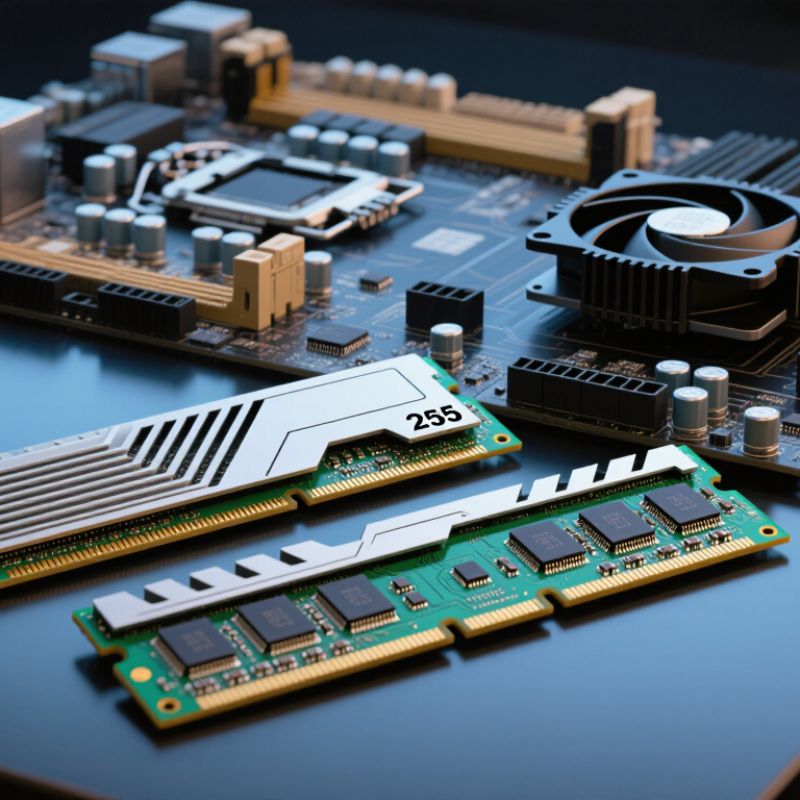
DDR5 in 2026: JEDEC’s 4,800 MT/s Baseline vs DDR4-3200
DDR5’s 4,800 MT/s baseline looks modest beside faster kits, but compare it with DDR4-3200: the standard data rate is 50% higher. JEDEC’s published DDR5 and DDR4 SDRAM standards define these respective baseline rates. MT/s means millions of transfers per second, not clock speed in MHz. That distinction matters when reading specification sheets.
The bandwidth arithmetic makes the gap tangible. A 64-bit memory interface carries up to 38.4 GB/s at DDR5-4800, versus 25.6 GB/s at DDR4-3200, using JEDEC’s transfer rates and an eight-byte data path. DDR5 also divides each module into two independent 32-bit channels, which can improve access efficiency. More bandwidth helps with workloads moving large datasets, but it does not guarantee every application feels faster.
Not magic. Timings matter. A DDR5 system can still respond more slowly in some memory-sensitive tasks if its latency is higher. Results also depend on the processor, configuration, and workload. In 2026, 4,800 MT/s is a standards baseline, not a promise about every installed system. I would treat it as a useful comparison point, not a complete buying verdict.
2026 Best DDR5 Guide: Why DDR5 Is Faster Than DDR4? — JEDEC’s 4,800 MT/s Baseline vs. DDR4-3200
| Comparison |
DDR4-3200 |
DDR5-4800 |
What It Means |
| Standard data rate |
3,200 MT/s |
4,800 MT/s JEDEC baseline |
DDR5-4800 transfers data at a 50% higher rate than DDR4-3200. |
| Approximate memory clock |
1,600 MHz |
2,400 MHz |
MT/s describes transfers per second; it is not the same as the physical clock frequency. |
| Theoretical bandwidth per 64-bit data path |
25.6 GB/s |
38.4 GB/s |
Calculated from data rate × 8 bytes; actual application performance varies. |
| Data prefetch |
8n |
16n |
DDR5 transfers a larger data unit internally, supporting higher data rates. |
| Module data-channel layout |
One 64-bit channel per standard unbuffered DIMM |
Two independent 32-bit subchannels per standard unbuffered DIMM |
DDR5 divides the same aggregate data width into smaller subchannels, which can improve access efficiency. |
| Nominal module voltage |
1.2 V |
1.1 V |
DDR5’s standard operating voltage is lower; power use depends on workload and the complete system. |
| On-die error correction |
Not a standard feature of DDR4 DRAM devices |
On-die ECC is part of DDR5 DRAM devices |
On-die ECC helps correct internal cell errors; it is not the same as system-level ECC memory. |
| Latency considerations |
Depends on the module’s timings and memory controller |
Depends on the module’s timings and memory controller |
A higher MT/s rating does not automatically mean lower first-word latency; compare timings and real workloads. |
| Platform compatibility |
Requires a DDR4-compatible motherboard and processor |
Requires a DDR5-compatible motherboard and processor |
DDR4 and DDR5 DIMMs use different electrical and physical designs and are not interchangeable. |
Note: Bandwidth figures are theoretical single-channel values. Supported memory speeds depend on the processor, motherboard, module configuration, and system settings.
Bandwidth Compared: 38.4 GB/s for DDR5-4800 vs 25.6 GB/s for DDR4-3200
On paper, the bandwidth gap is easy to see. DDR5-4800 transfers 4,800 million data units per second; DDR4-3200 transfers 3,200 million. Using an eight-byte-wide data path, the calculation gives 38.4 GB/s for DDR5 and 25.6 GB/s for DDR4. That is a 50 percent increase in theoretical peak bandwidth. Not a 50 percent speedup in every task. These figures describe one 64-bit channel under ideal conditions. Real results vary.
That extra headroom matters when a processor repeatedly moves large datasets, serves several cores, or feeds integrated graphics. Think of more lanes carrying data at once, not a faster processor magically appearing. DDR5 organizes each module into two 32-bit subchannels, which can help schedule smaller requests. Yet the quoted rates alone do not show that benefit. Timings, memory-controller limits, and workload all matter. A memory-light task may show little visible change. I would compare application results on the same processor and settings, rather than trust bandwidth figures alone. It is an easy detail to overlook.
Inside the DIMM: JEDEC DDR5’s Two 32-bit Subchannels
A DDR5 DIMM divides its data path into two independent 32-bit subchannels, rather than DDR4’s single 64-bit channel. Think of two narrow checkout lanes instead of one wide lane. Each subchannel can handle its own command stream, so the memory controller may serve separate requests with less waiting. This can help when a processor makes several smaller, scattered memory accesses. The lanes still share the DIMM, though. They do not automatically double performance.
The difference is easiest to picture with two quick requests: one for a small texture and another for program data. DDR5 can direct them to separate subchannels when the controller and memory layout allow it. Neat, but not magic. Large, continuous transfers may already keep DDR4’s wider channel busy, so the gain depends on the workload. DDR5 also uses longer bursts, moving more data per operation; that works well with its higher transfer rates. Yet timing delays, processor support, and the kind of work being done all matter. A specification sheet cannot predict every result. Sometimes the smaller-lane design feels less dramatic than the numbers suggest.
Power and Data Integrity: DDR5’s 1.1 V Standard and On-Die ECC
DDR5 sets its standard operating voltage at 1.1 V, compared with DDR4’s 1.2 V. These figures come from JEDEC’s DDR5 SDRAM and DDR4 SDRAM specifications. The lower voltage can reduce power used by the memory chips, but it does not guarantee a fixed system-wide saving. Data rate, capacity, rank configuration, and workload all affect actual consumption. Small changes matter in a laptop under sustained use. Yet voltage alone is not the whole story.
DDR5 also incorporates on-die error-correcting code, or ECC, which can detect and correct certain errors inside each memory chip. JEDEC’s DDR5 specification defines this feature as part of the device design. It is not the same as system-level ECC: on-die correction does not protect every data path between memory and processor. That distinction matters. In practical testing, a workload may run cleanly while still lacking broader error reporting and correction. The feature improves internal data integrity, but it should not be treated as a substitute for ECC support across the full system. That limitation is easy to overlook.
Real-World Performance: How Timings, CPUs, and Workloads Affect DDR5 Speed
DDR5’s higher data rates can move more information each second than DDR4, but that does not guarantee a faster-feeling computer. Timings matter too: they describe delays in memory operations, and tighter timings can reduce some of DDR5’s advantage. Compare complete specifications, not just the headline speed. Context matters. A fast kit may also need a compatible motherboard and processor to run at its rated settings.
The processor shapes the result. Some CPUs benefit more from faster memory than others, while cache size and memory-controller behavior can change benchmark outcomes. Workload matters just as much. Large video projects, scientific calculations, and memory-heavy tasks may show measurable gains; everyday browsing often feels nearly identical. Games vary, too, especially when graphics processing is the main limit. Test the same system with the same tasks, and watch for stability, not only peak scores. Small differences can disappear in normal use.
Tips: Check CPU and motherboard memory support before buying. Compare timings and total cost. Run repeatable tests with your own applications; one benchmark is not the whole story.
Conclusion
Why DDR5 is faster than DDR4 starts with its higher standard data rate: JEDEC’s baseline for DDR5 is 4,800 MT/s, compared with DDR4-3200. That difference raises theoretical bandwidth from 25.6 GB/s to 38.4 GB/s for a 64-bit memory channel, allowing more data to move each second. DDR5 DIMMs also divide the data path into two independent 32-bit subchannels, which can improve how efficiently memory handles requests.
DDR5 operates at a standard 1.1 volts and includes on-die error correction, which helps detect and correct certain errors within the memory chips. However, higher bandwidth does not guarantee faster results in every task. Timings, the CPU’s memory controller, system configuration, and workload all affect real-world performance. Latency-sensitive applications may benefit less than tasks that move large amounts of data, so the best choice depends on the computer and how it is used.

 Memvora